💕 当前时间展示,精确到毫秒
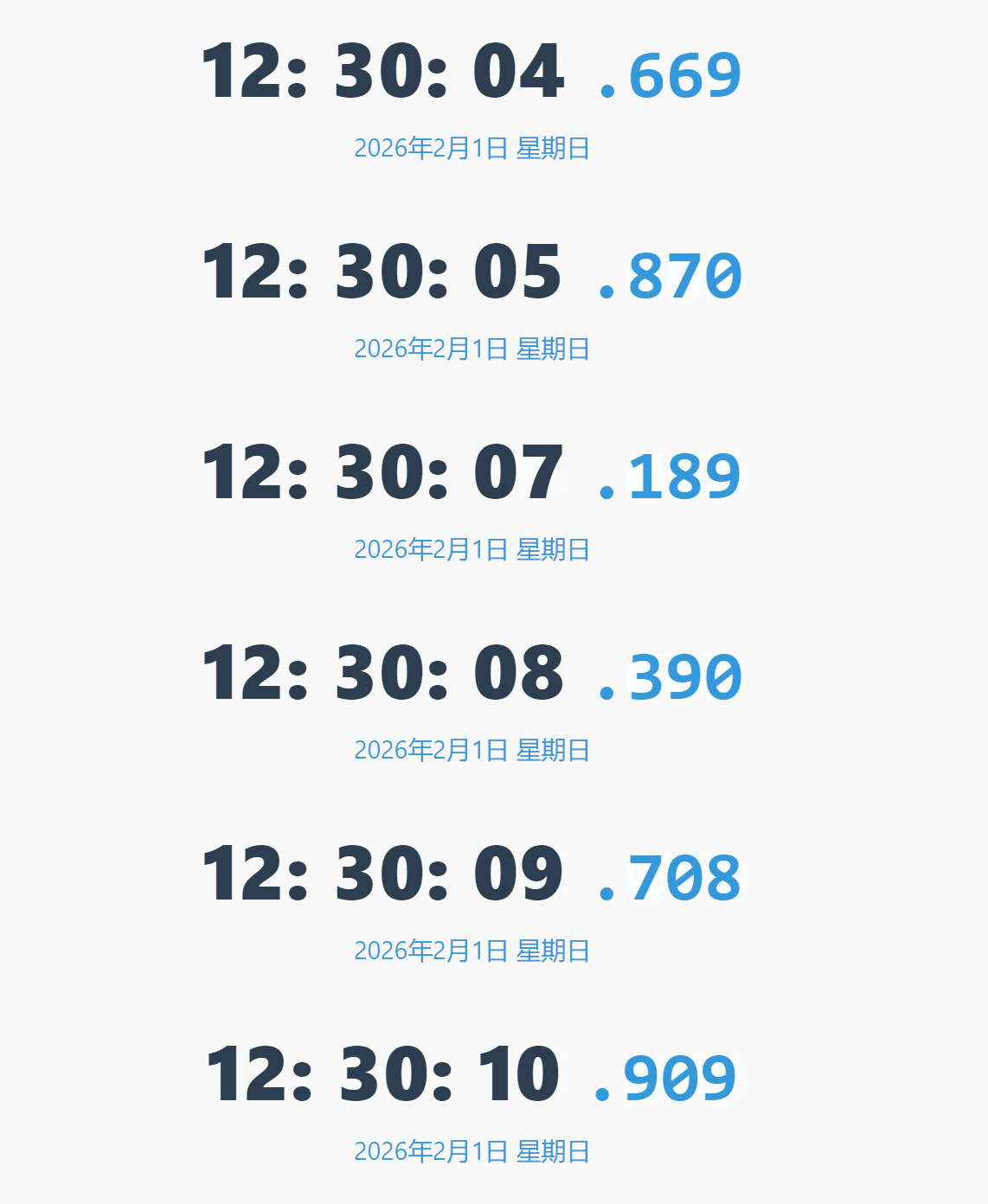
这是一个实时更新的当前时间展示,精确到毫秒。包含:
清晰的时间显示(时:分:秒.毫秒)
醒目的日期和星期信息
主时间数字为深色,毫秒和日期文字为浅蓝色
简洁的白色背景和圆角矩形设计
代码如下
<!DOCTYPE html>
<html lang="zh-CN">
<head>
    <meta charset="UTF-8">
    <meta name="viewport" content="width=device-width, initial-scale=1.0">
    <title>防抖动时间显示</title>
    <style>
        body {
            margin: 0;
            padding: 40px;
            background-color: #f5f7fa;
            font-family: 'Segoe UI', 'Helvetica Neue', Arial, sans-serif;
            margin-top: 150px;
        }

        .time-container {
            background: white;
            border-radius: 20px;
            padding: 50px 40px;
            text-align: center;
            box-shadow: 0 10px 30px rgba(0,0,0,0.08);
            -max-width: 600px;
            margin: 0 auto;
        }

        .time-display {
            font-size: 5.5rem;
            font-weight: 800;
            color: #2c3e50;
            letter-spacing: 1px;
            margin-bottom: 10px;
            /* 固定宽度防止抖动 */
            min-width: 550px;
            display: inline-block;
        }

        .milliseconds {
            color: #3498db;
            font-size: 5rem;
            /* 使用等宽字体保证宽度一致 */
            font-family: 'Consolas', 'Monaco', monospace;
        }

        .date-display {
            font-size: 1.8rem;
            color: #3498db;
            margin-top: 5px;
        }

        /* 添加平滑过渡 */
        .digit {
            display: inline-block;
            transition: all 0.1s ease;
        }
    </style>
</head>
<body>
    <div class="time-container">
        <div class="time-display">
            <span class="digit" id="hours">11</span>:
            <span class="digit" id="minutes">26</span>:
            <span class="digit" id="seconds">33</span>
            <span class="milliseconds">.<span class="digit" id="milliseconds">774</span></span>
        </div>
        <div class="date-display">
            <span id="year">2026</span>年<span id="month">2</span>月<span id="day">1</span>日
            <span id="weekday">星期日</span>
        </div>
    </div>

    <script>
        // 使用requestAnimationFrame确保与浏览器刷新同步
        let lastTimestamp = 0;
        const interval = 10; // 每10ms更新一次(而不是1ms)

        function updateSmoothTime(timestamp) {
            // 控制更新频率
            if (timestamp - lastTimestamp >= interval) {
                const now = new Date();

                // 使用数据对象减少DOM操作
                const timeData = {
                    hours: now.getHours().toString().padStart(2, '0'),
                    minutes: now.getMinutes().toString().padStart(2, '0'),
                    seconds: now.getSeconds().toString().padStart(2, '0'),
                    milliseconds: now.getMilliseconds().toString().padStart(3, '0')
                };

                // 批量更新DOM
                updateDigits(timeData);
                lastTimestamp = timestamp;
            }

            // 继续循环
            requestAnimationFrame(updateSmoothTime);
        }

        // 批量更新数字显示
        function updateDigits(data) {
            const ids = ['hours', 'minutes', 'seconds', 'milliseconds'];
            ids.forEach(id => {
                const element = document.getElementById(id);
                // 只有当值变化时才更新DOM
                if (element.textContent !== data[id]) {
                    element.textContent = data[id];
                }
            });
        }

        // 初始化日期显示(只更新一次)
        function initDate() {
            const now = new Date();
            const weekdays = ['星期日', '星期一', '星期二', '星期三', '星期四', '星期五', '星期六'];

            document.getElementById('year').textContent = now.getFullYear();
            document.getElementById('month').textContent = now.getMonth() + 1;
            document.getElementById('day').textContent = now.getDate();
            document.getElementById('weekday').textContent = weekdays[now.getDay()];
        }

        // 启动
        initDate();
        requestAnimationFrame(updateSmoothTime);

        // 性能优化:防止字体加载导致的布局变化
        document.fonts.ready.then(() => {
            console.log('字体加载完成,布局稳定');
        });
    </script>
</body>
</html>
演示地址
阅读:1344
发布时间: